It all comes together
Your journal and Guide aren't two tools that just share a login. Turn on Journal memory and Guide can learn from what you write, so you have less to explain when you chat.
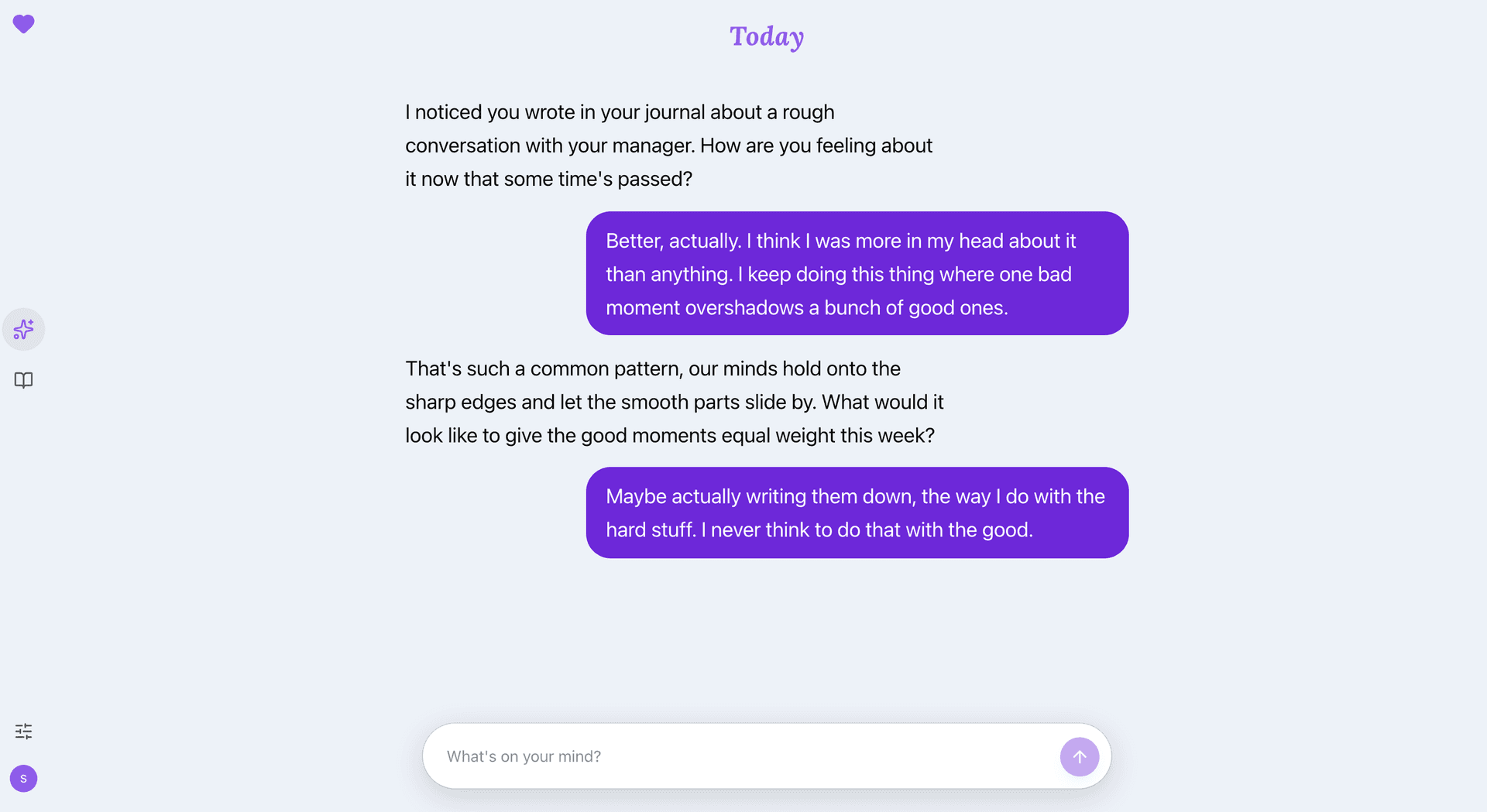
Less starting from scratch
Most reflection tools have a memory problem. Your journal knows one version of you, your chat app knows another, and neither talks to the other, so you end up re-explaining yourself to a blank screen. Guide can pick up what you've already shared. A hard week you journaled about is something your Guide can gently pick up days later, without you having to bring it up.
How Journal memory works
Guide keeps saved memories from your conversations: recurring themes, what you're working on, what helps. Turn on Journal memory and your entries add to that picture. Saved memories are encrypted on your device before they're stored, just like your writing.
The result is a Guide that can say “this keeps coming up when you write about work” and actually mean it. Not because it read your mind, but because you already told it, in your own words, on your own pages.
Encrypted with your key
Your journal entries, chats and saved memories are encrypted on your device before they're stored, with a key we don't hold. When you use AI, it reads what you send so it can reply.
What AI receives and keepsAlways yours to turn off
Journal memory has one switch in settings, and it's yours. Turning it off stops new automatic journal sharing. It doesn't delete saved memories. Your journal stays a journal.
Further reading
The important question is who can unlock the stored entries. Here is how key custody changes recovery, support, and the choices you make about AI.
A loading spinner cannot prove a privacy claim. Use these questions to find out what a provider can unlock and where your writing goes.
The rebuild changed who holds the key to stored journal content. This historical announcement now includes current migration and AI privacy context.